
SaaS teams shipping AI features face a unit economics problem most don't notice until it's serious. A 2025 Andreessen Horowitz survey found that 43% of AI-native SaaS companies were spending more on LLM APIs than on all other infrastructure combined — and 67% of those couldn't identify which feature or user segment was driving the majority of that cost. Blind AI spending is a gross margin problem.
Start by understanding where your current AI spend is going with a systematic monthly audit.
TL;DR: 43% of AI-native SaaS companies spend more on LLM APIs than all other infrastructure combined, and 67% can't identify which feature drives the cost (a16z, 2025). Tagging every LLM call by feature and user tier turns a blind total into an actionable per-feature cost breakdown.
Key Takeaways
- 43% of AI-native SaaS companies spend more on LLMs than all other infrastructure combined (a16z, 2025)
- Tagging every LLM call by feature and user tier reveals which parts of your product are expensive
- Per-feature caps block expensive features before they exceed their budget allocation
- Free users should never consume the same LLM budget as paid users
- Multi-tenant isolation via per-customer API keys prevents one tenant from affecting another

Why is AI cost tracking critical for SaaS?
According to a16z (2024), AI infrastructure costs consume 20-40% of revenue for AI-native SaaS companies, compared to under 10% for traditional SaaS. Here's a scenario that plays out repeatedly. A SaaS product ships three AI features: a document summarizer, an inline chatbot, and an auto-complete assistant. The team budgets $500/month for AI. Six weeks later the bill is $1,800.
Which feature is expensive? Without per-feature tracking, nobody knows. The team can guess — maybe the chatbot? — but guessing leads to optimizing the wrong thing. You spend two sprints caching chatbot responses, then discover the summarizer was calling GPT-4o on 8,000-token documents 400 times a day.
Per-feature tagging answers the question definitively. You see the summarizer spent $1,100, the chatbot spent $500, and the autocomplete spent $200. Now you optimize the right thing first.
This exact scenario happened to us during Tokonomics development. We had three internal AI tools, assumed the heaviest one was expensive, and were wrong. The "cheap-looking" batch processor was the problem. Visibility changed what we optimized. If you're building on a no-code platform, the same blind spots apply — see our guide on tracking AI costs in Bubble for a platform-specific setup.
How to Tag Every LLM Call by Feature and User Tier
Tokonomics uses the X-Metering-Tags request header. You set it in your application when making the API call. It accepts any JSON key-value pairs.
For a SaaS product, a good tagging schema looks like this:
POST https://api.tokonomics.ca/proxy/openai/chat/completions
Authorization: Bearer mk_your_api_key
X-Metering-Tags: {"feature":"summarizer","user_tier":"free","tenant_id":"t_8472"}
Use whatever tag keys match your product's structure. Common patterns:
feature: summarizer, chatbot, autocomplete, extractoruser_tier: free, pro, enterprisetenant_id: your customer's identifier for multi-tenant isolationenv: production, staging, development
Once tags are in place, Tokonomics groups and aggregates by any tag key. You see spend by feature, by user tier, by tenant — any dimension you've tagged.
See how tags work in the proxy layer and what metadata you can attach for granular cost attribution.
How do you analyze cost per feature?
With feature tags in place, the analytics view shows you exactly which features are expensive.
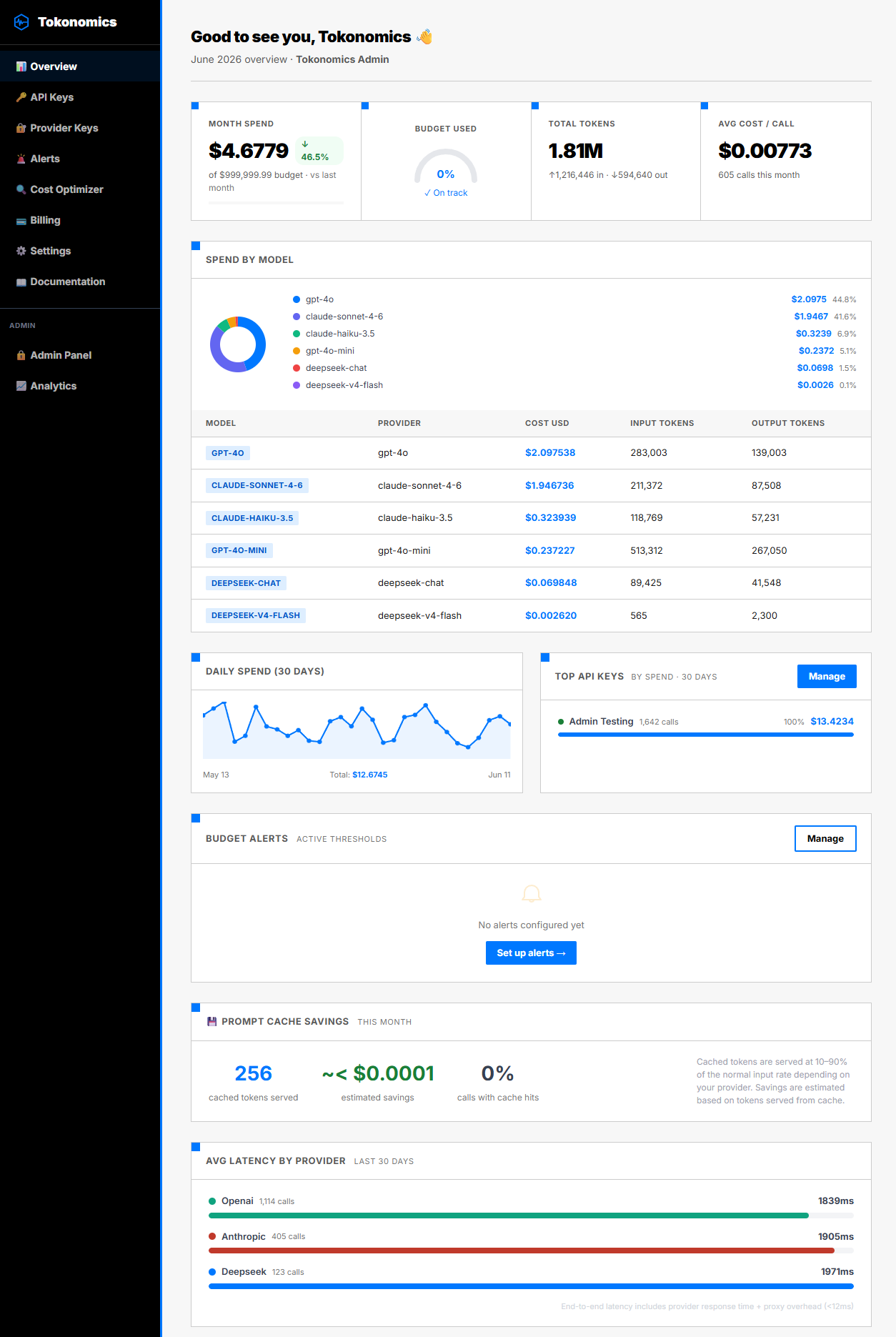
A typical breakdown for a document SaaS product:
| Feature | Monthly Spend | % of Total | Avg Cost/Call |
|---|---|---|---|
| Document Summarizer | $1,100 | 61% | $0.042 |
| Inline Chatbot | $500 | 28% | $0.008 |
| Auto-Complete | $200 | 11% | $0.001 |
| Total | $1,800 | 100% | — |
This table tells you more than the total bill. It tells you the summarizer has a cost-per-call 5x higher than the chatbot. That's worth investigating: are the summarizer prompts too long? Is it calling GPT-4o when GPT-4o-mini would suffice? Is the output token limit set too high?
Citation Capsule: Andreessen Horowitz's 2025 AI infrastructure benchmark found that 43% of AI-native SaaS companies spent more on LLM APIs than on all other infrastructure categories combined. Among teams that implemented per-feature cost attribution, 67% identified a single feature responsible for over 50% of AI spend within two weeks of gaining visibility — enabling targeted optimizations that averaged a 41% reduction in total AI costs. (a16z, 2025)
Use the cost optimization report to identify and fix expensive patterns automatically.
How do you break down costs by user tier?
Free users often consume more AI than paid users on a per-session basis, because they're exploring, not doing real work. Stanford HAI's 2024 AI Index Report found that the cost of training and serving AI models dropped 10x between 2020 and 2024, but per-user inference costs still scale linearly with usage. And free users, by definition, aren't paying for that consumption.
Tagging by user_tier makes this visible. If your free users are generating $0.08 in LLM cost per session and your paid users generate $0.03 per session, you have a problem. Free users are subsidized by paid users' subscription revenue.
Common responses to this finding:
- Add a per-session feature usage limit for free users
- Route free-tier calls to GPT-4o-mini instead of GPT-4o
- Require email verification before enabling AI features (reduces casual explorers)
- Gate the most expensive features behind the paid plan
None of these decisions can be made confidently without the per-tier cost data.
How do you set feature-level budget caps?
Per-feature visibility is valuable. Per-feature caps are protection. If your summarizer has a $500/month budget, set a hard cap on the API key used for summarizer calls. When that key's cumulative spend hits $500, the proxy blocks further calls and returns a 429.
Your application handles the 429 by showing users a "Summarizer usage limit reached for this month" message. The feature becomes unavailable. The chatbot and autocomplete continue working — they use different keys, unaffected by the summarizer's cap.
This is the key advantage of per-feature API keys: one feature's budget problem doesn't cascade to the entire product.
See how hard spending caps block requests automatically at the proxy layer for per-feature budget enforcement.
Why use one API key per customer?
For B2B SaaS products serving multiple customers, multi-tenant cost isolation is non-negotiable. Flexera's 2025 State of the Cloud Report found that 82% of enterprises cite cost management as their top cloud challenge, a problem that compounds when AI inference costs are pooled across tenants. You don't want Acme Corp's bulk export job consuming Globex Corp's LLM budget.
The pattern in Tokonomics: create one API key per customer tenant. Set a monthly budget on each key. Tag calls with the tenant ID.
Benefits:
- Cost attribution: Each customer's spend is tracked separately and queryable
- Budget protection: One customer's heavy usage can't exceed their allocated budget and spill into another's
- Billing support: Export per-tenant usage as CSV for cost-plus billing or internal chargebacks
- Security: Rotating or revoking one customer's key doesn't affect any other customer
For SaaS products with hundreds of tenants, programmatic key creation via the Tokonomics API lets you automate tenant provisioning.
Read the full guide to per-tenant LLM cost isolation in multi-tenant architectures for the complete implementation.
What do your AI costs mean for gross margin?
SaaS gross margins typically target 70-80%, according to Bessemer Venture Partners (2025). Every dollar of LLM cost is a dollar of COGS. Battery Ventures (2024) reported that AI-native SaaS companies average 55-65% gross margins, well below the 75%+ benchmark for traditional SaaS. At scale, AI costs can compress margins significantly.
The math matters. If your product charges $29/month per user and your AI cost per user is $4.50/month, your AI COGS ratio is 15.5%. Add hosting, support, and other COGS and you might be at 30-35% total COGS. That's 65-70% gross margin — acceptable, but tight.
If that AI cost per user grows to $9/month (common during growth phases, as users discover and use AI features more), your AI COGS ratio doubles to 31%. Total gross margin may compress below 55%.
Tracking cost per active user in Tokonomics gives you this number in real time. You know when it's moving in the wrong direction before it shows up in quarterly financials.
FAQ
Does Tokonomics work with multi-tenant SaaS architectures?
Yes. The recommended pattern is one API key per customer tenant, each with its own budget and alert thresholds. You can also use a single key with tenant ID as a tag if you prefer centralized key management. Both patterns support per-tenant cost isolation.
Can I track cost per user ID?
Yes. Tags are arbitrary JSON key-value pairs. Set {"user_id":"12345","feature":"summarizer"} on each request. Tokonomics aggregates by any tag key. For products with millions of users, tag by user segment rather than individual user ID to keep aggregations manageable.
Does Tokonomics track embedding model costs?
Yes. text-embedding-3-small, text-embedding-3-large, ada-002, Mistral embed, Cohere embed, and Google text-embedding-004 are all tracked. Embedding calls proxy and meter the same way as chat completions.
What happens when a feature cap blocks a request mid-session?
Tokonomics returns a 429 with a JSON error body and a reset_at timestamp. Your application handles this with a user-friendly message or a fallback behavior. The cap only affects the key that hit its limit — other features using different keys continue normally.
Know Exactly What Every Feature Costs
Shipping AI features without per-feature cost tracking is guessing with your gross margin. Tokonomics gives you the attribution data you need to build sustainably.
Create your free Tokonomics account and add your first feature tag today. No credit card required. Upgrade to Pro at $49/month when you're ready for unlimited calls and 90-day retention.
All sources retrieved June 2026.