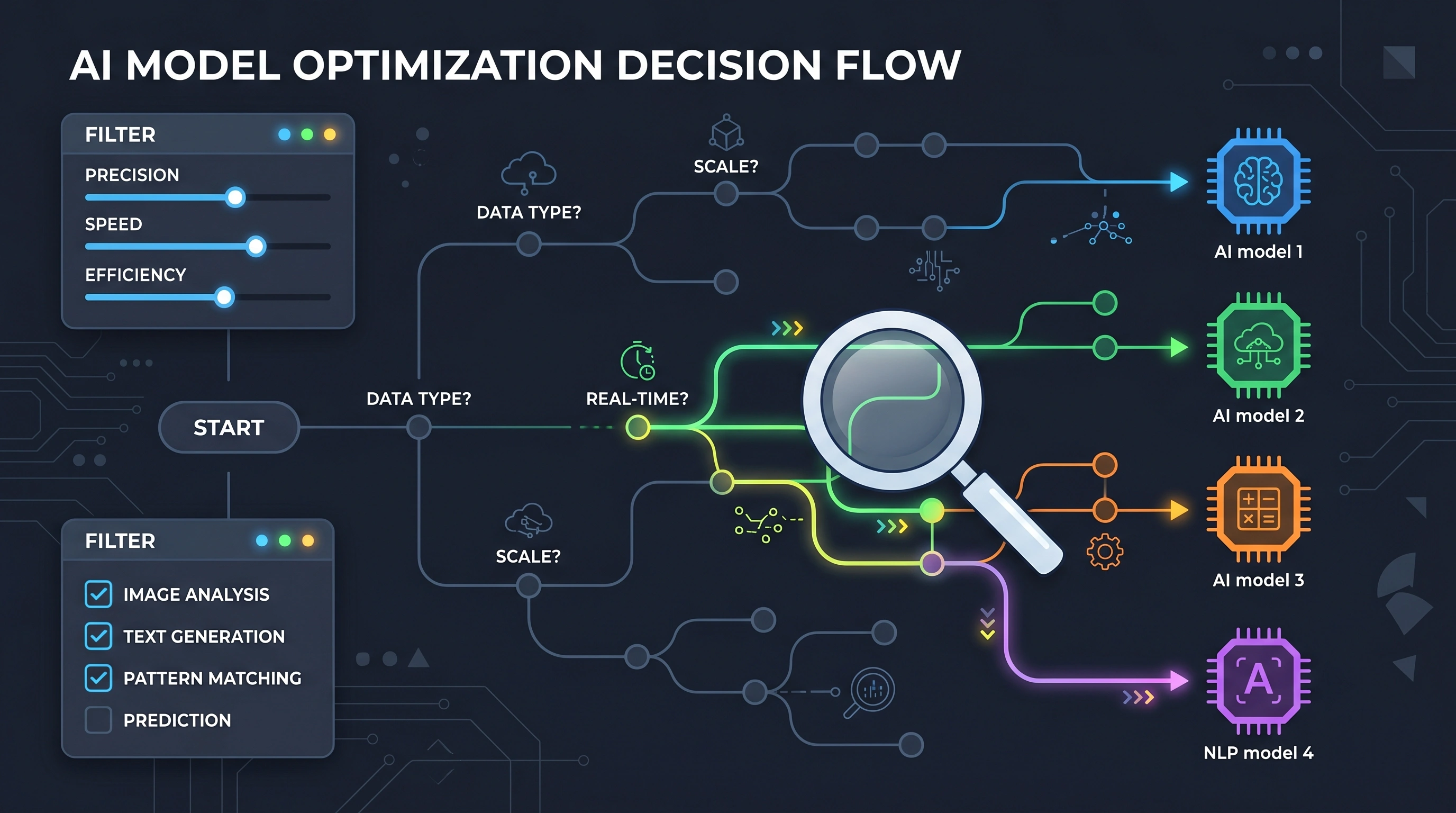
TL;DR: Model choice is the single biggest cost lever in your AI stack. GPT-4o costs 33x more than GPT-4o-mini per token. About 80% of production tasks don't need a frontier model. Start cheap, benchmark quality, and upgrade only where the cheaper model actually fails. Use our Model Comparison Matrix to filter models by use case, price, and context window.
Key Takeaways
- GPT-4o costs $2.50/M input vs GPT-4o-mini at $0.15/M — a 16x gap that translates to $750/mo vs $22.50/mo at 10K calls/day (OpenAI Pricing, 2026)
- 80% of production tasks (classification, extraction, summarization) work fine on cheaper models
- DeepSeek V3 charges $0.27/M input — roughly 90x cheaper than Claude Opus 4 at $15/M
- Start with the cheapest model, benchmark quality, and upgrade only where the cheaper option actually fails
- Route by task type: cheap models for simple tasks, frontier models only for complex reasoning and code generation
Why Is Model Choice the Biggest Cost Decision You'll Make?
Most teams pick a model once during prototyping and never revisit it. That's a mistake that compounds every month.
Here's the math. GPT-4o charges $2.50 per million input tokens and $10.00 per million output tokens. GPT-4o-mini charges $0.15 and $0.60 respectively. That's a 16x gap on input and a 16.7x gap on output. If your app makes 10,000 calls per day with 1,000 tokens each, you're looking at $750/month on GPT-4o versus $22.50/month on GPT-4o-mini. Same app. Same architecture. 33x price difference.
And GPT-4o isn't even the most expensive option. Claude Opus 4 runs $15/$75 per million tokens. o3 hits $10/$40. At the other end, DeepSeek V3 charges $0.27/$1.10 — roughly 90x cheaper than Opus.
The right model isn't the smartest one. It's the cheapest one that meets your quality bar. Use our free Model Comparison Matrix to compare pricing, benchmarks, and context windows across 49+ models side by side.
How Should You Match Models to Use Cases?
Different tasks have wildly different quality requirements. A customer support chatbot answering "what's your return policy?" doesn't need the same reasoning power as a coding assistant debugging a race condition.
Here's the framework we recommend:
Tier 1 — Simple extraction and classification. FAQ bots, sentiment analysis, text categorization, data formatting. These tasks have clear right/wrong answers and short outputs. Best models: GPT-4o-mini ($0.15/$0.60), DeepSeek V3 ($0.27/$1.10), Gemini 2.0 Flash ($0.10/$0.40). You'll save 90%+ compared to frontier models with minimal quality loss.
Tier 2 — Conversational and summarization. Customer support with nuance, document summarization, content moderation, RAG-based Q&A. These need decent comprehension but not deep reasoning. Best models: Claude Haiku 3.5 ($0.80/$4.00), GPT-4o-mini, Gemini 1.5 Flash. Test with the cheapest first. Most teams find GPT-4o-mini handles 70-80% of conversational tasks just fine.
Tier 3 — Complex reasoning and generation. Code generation, legal analysis, creative writing, multi-step planning, complex data analysis. These tasks benefit from larger models. Best models: GPT-4o ($2.50/$10.00), Claude Sonnet 4 ($3.00/$15.00), Gemini 2.5 Pro ($1.25/$10.00). Still not the most expensive tier — these mid-range frontier models handle most complex work.
Tier 4 — Maximum capability needed. Novel research synthesis, PhD-level reasoning, agentic workflows with many tool calls, safety-critical applications. Best models: Claude Opus 4 ($15.00/$75.00), o3 ($10.00/$40.00). Use these sparingly. If more than 20% of your traffic goes to Tier 4, you're probably over-routing.
For a deeper comparison of model specs and benchmarks, see our complete model comparison guide.
What Are the Real Price vs Quality Tradeoffs?
The gap between cheap and expensive models has shrunk dramatically since 2024. Today's budget models are better than last year's frontier models on most benchmarks.
GPT-4o-mini scores 82% on MMLU. That's higher than GPT-4 scored when it launched. DeepSeek V3 matches GPT-4o on coding benchmarks at a fraction of the cost. Gemini 2.0 Flash beats Claude 3 Opus on several reasoning tasks while costing 37x less.
The practical implication: you don't sacrifice as much quality as you think by going cheaper. Run a blind evaluation. Take 50 real prompts from your production traffic, send them to both the expensive and cheap model, and have someone rate the outputs without knowing which is which. We've seen teams discover their "premium" model was only noticeably better on 15-20% of queries.
Use the Cost Calculator to quantify exactly how much you'd save by switching models on different portions of your traffic.
When Does Context Window Size Actually Matter?
Every model advertises its context window like it's the main selling point. Claude Opus 4 offers 200K tokens. Gemini 2.5 Pro goes up to 1M. GPT-4o gives you 128K. But how often do you actually need that much?
For most production apps, you don't. The average customer support conversation uses 2,000-4,000 tokens total. A typical RAG query with retrieved chunks runs 3,000-6,000 tokens. Even a long document summary rarely exceeds 20,000 tokens of input.
Context window matters in three scenarios:
Long document processing. If you're analyzing contracts, research papers, or codebases that exceed 30K tokens, you need at least a 128K window. Gemini's 1M context is genuinely useful here — you can process entire books in a single call.
Multi-turn chat with history. Chat history grows fast. If your users have 50+ message conversations, you'll accumulate 15,000-30,000 tokens of history. But the smarter fix is summarizing old messages rather than paying for a bigger context window.
Agentic workflows. AI agents that make multiple tool calls accumulate context quickly. A 10-step agent run can easily hit 20,000-40,000 tokens. Plan for this, but don't default to the biggest window available.
The cost trap: larger context windows are priced per token used, not per token available. But longer contexts mean longer processing times and sometimes degraded attention on early tokens. Don't pay for 200K context when your average call uses 3K.
How Do the Major Providers Compare in 2026?
OpenAI offers the broadest model range. GPT-4o-mini is the best budget workhorse for general tasks. GPT-4o handles complex work well. o3 and o4-mini provide chain-of-thought reasoning for math and coding. Pricing is competitive but not the cheapest.
Anthropic leads on safety and instruction following. Claude Sonnet 4 is the best mid-range model for code generation and nuanced writing. Claude Opus 4 is the most capable model available but priced accordingly. Claude Haiku 3.5 is solid for simple tasks.
Google wins on context window and price-per-token. Gemini 2.0 Flash is absurdly cheap for its quality level. Gemini 2.5 Pro offers 1M tokens of context. The API experience is slightly rougher than OpenAI's but improving.
DeepSeek is the price disruptor. V3 matches GPT-4o quality on many benchmarks at roughly 10% of the cost. R1 provides reasoning comparable to o1 at a fraction of the price. The tradeoff: servers are in China, which matters for data-sensitive applications.
Mistral fills the European market niche. Mistral Large competes with GPT-4o. Mistral Small is a solid budget option. Good choice if data residency in the EU is a requirement.
For a side-by-side pricing breakdown, see our GPT-4o vs GPT-4o-mini analysis and DeepSeek vs GPT-4o cost comparison.
Can Cheap Models Handle 80% of Production Tasks?
Yes. And that's not a guess — it's what we see in production data across teams using Tokonomics to track their API spending.
The pattern is consistent: most API calls are repetitive, structured tasks. Classify this email. Extract these fields. Generate a short response from a template. Summarize this paragraph. These tasks don't need GPT-4o. They don't even need GPT-4o-mini's full capability. But teams default to their prototyping model for everything.
A practical routing strategy looks like this: send 80% of traffic to a Tier 1 model (GPT-4o-mini or DeepSeek V3), route 15% to a Tier 2/3 model (GPT-4o or Claude Sonnet), and reserve 5% for Tier 4 when maximum quality matters. You can implement this with a simple classifier or even keyword-based rules.
The ROI Calculator can help you model the savings from this kind of tiered approach.
What's the "Test Cheap, Upgrade Where Needed" Strategy?
Here's the step-by-step process we recommend:
Step 1: Start everything on the cheapest viable model. Deploy your entire app on GPT-4o-mini or DeepSeek V3. Don't worry about quality yet — just get it running.
Step 2: Collect real production data. Run for one week. Log every input, output, and any user feedback. You need real queries, not synthetic test data.
Step 3: Identify quality failures. Review outputs where users complained, retried, or abandoned. Tag each failure by category: factual error, poor formatting, missing nuance, incomplete reasoning, wrong tone.
Step 4: Upgrade selectively. For each failure category, test whether a more expensive model fixes it. Route only those specific query types to the bigger model. Keep everything else on the cheap one.
Step 5: Monitor the cost split. Use Tokonomics to track spending per model. If your expensive model starts handling more than 25% of traffic, revisit your routing rules — you might be over-classifying.
This strategy typically saves 60-80% compared to running everything on a single frontier model. And it gives you a quality baseline backed by real data, not assumptions.
Check our buyer's guide comparing 49 models for benchmark scores to inform your upgrade decisions.
How Do You Handle Model Selection for Different Team Sizes?
Solo developers and small startups. Pick one cheap model (GPT-4o-mini) and one capable model (Claude Sonnet 4 or GPT-4o). Route manually with if/else logic. Don't over-engineer routing until you have enough traffic to justify it. Use the Cost Calculator to estimate your monthly bill before launch.
Mid-size teams (5-20 engineers). Implement a routing layer that classifies queries by complexity. Track costs per feature and per team using tags. Set up budget alerts to catch runaway spending. Review model performance quarterly and swap models as pricing changes.
Enterprise. Run formal evaluations across models for each use case. Negotiate volume pricing with providers. Consider self-hosting open-source models (Llama 3.1, Mistral) for high-volume low-complexity tasks. Use a metering proxy like Tokonomics for cost attribution across business units.
What Mistakes Should You Avoid When Choosing a Model?
Defaulting to the most expensive model. The most common and most costly mistake. GPT-4o is not always better than GPT-4o-mini for your specific task.
Ignoring output token costs. Output tokens cost 2-5x more than input tokens across every provider. If your app generates long responses, output cost dominates. Shorten your outputs before upgrading your model.
Not testing with real data. Benchmark scores don't predict production performance. A model that scores 90% on MMLU might score 60% on your specific domain. Always test with your actual prompts and data.
Forgetting about latency. Bigger models are slower. Claude Opus 4 can take 3-5x longer than Haiku per request. If your app needs sub-second responses, that rules out most frontier models regardless of budget.
Locking into one provider. Provider pricing changes quarterly. DeepSeek V3 didn't exist 18 months ago. Build your app to swap models with a config change, not a rewrite. Our cheapest LLM by use case guide tracks the current best deals.
Frequently Asked Questions
What's the cheapest LLM that still produces good quality output?
GPT-4o-mini at $0.15/$0.60 per million tokens is the current sweet spot for general-purpose tasks. It handles classification, extraction, summarization, and basic conversation at a quality level that matches GPT-4 from 2024. DeepSeek V3 is even cheaper at $0.27/$1.10 but comes with data residency considerations for some teams.
Should I use one model for everything or multiple models?
Multiple models almost always win on cost. Route simple tasks to cheap models and complex tasks to expensive ones. Most production apps see 60-80% cost savings from a two-tier approach compared to running everything on a single frontier model. Start with two tiers and add more only if the data justifies it.
How often should I re-evaluate which models I'm using?
Review quarterly at minimum. Provider pricing shifts every 2-3 months, and new models launch constantly. DeepSeek V3, Gemini 2.0 Flash, and Claude Haiku 3.5 all launched within the past year and disrupted pricing in their tiers. Set a calendar reminder and spend 2 hours benchmarking alternatives.
Does a bigger context window mean a more expensive API call?
You pay per token used, not per token of context window capacity. A 1,000-token call to Gemini 2.5 Pro (1M context) costs the same as if the window were 8K. But longer actual inputs cost more because you're processing more tokens. The context window size itself doesn't add cost — it just determines the maximum input you can send.
All sources retrieved June 2026. Pricing based on official provider documentation. Use the Model Comparison Matrix for live pricing across 49+ models.